
NOTE: Only perform this procedure AFTER a new maintenance kit has been installed. Do not use this procedure to temporarily clear the PERFORM PRINTER MAINTENANCE message.
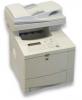
To Reset or Clear the Maintenance Kit Count via Control Panel:
- Turn the printer off…wait few seconds
- Push and hold down the √ key and power the printer on.
- Continue to hold the √ key until all three LEDs come on and remain on, then release the √ key.
- After releasing the √ key a message Select Language appears on the display, use ▲ (UP ARROW button) or ▼ (DOWN ARROW button) to scroll through the options
- When “New Maintenance Kit” is displayed, Press √ Key to select it.
- If a bootloader password has been set, a prompt to enter the password will be displayed in the control panel. Input the bootloader password and press the √ Key to confirm the entry.
- The printer should continue its boot sequence.
Note: A printer boot sequence is complete when READY appears on the control-panel.
How to Perform a cold reset on HP printers using Web Jetadmin
- Maintenance kit Reset
 Cold Reset